Operating from the admin
Audit timeline, health, backups, mailer, and other day-two screens.
Updated
Beyond data and users, the admin console is where you run and observe the instance day to day. These screens live under the Logs and Settings tabs.
Audit timeline
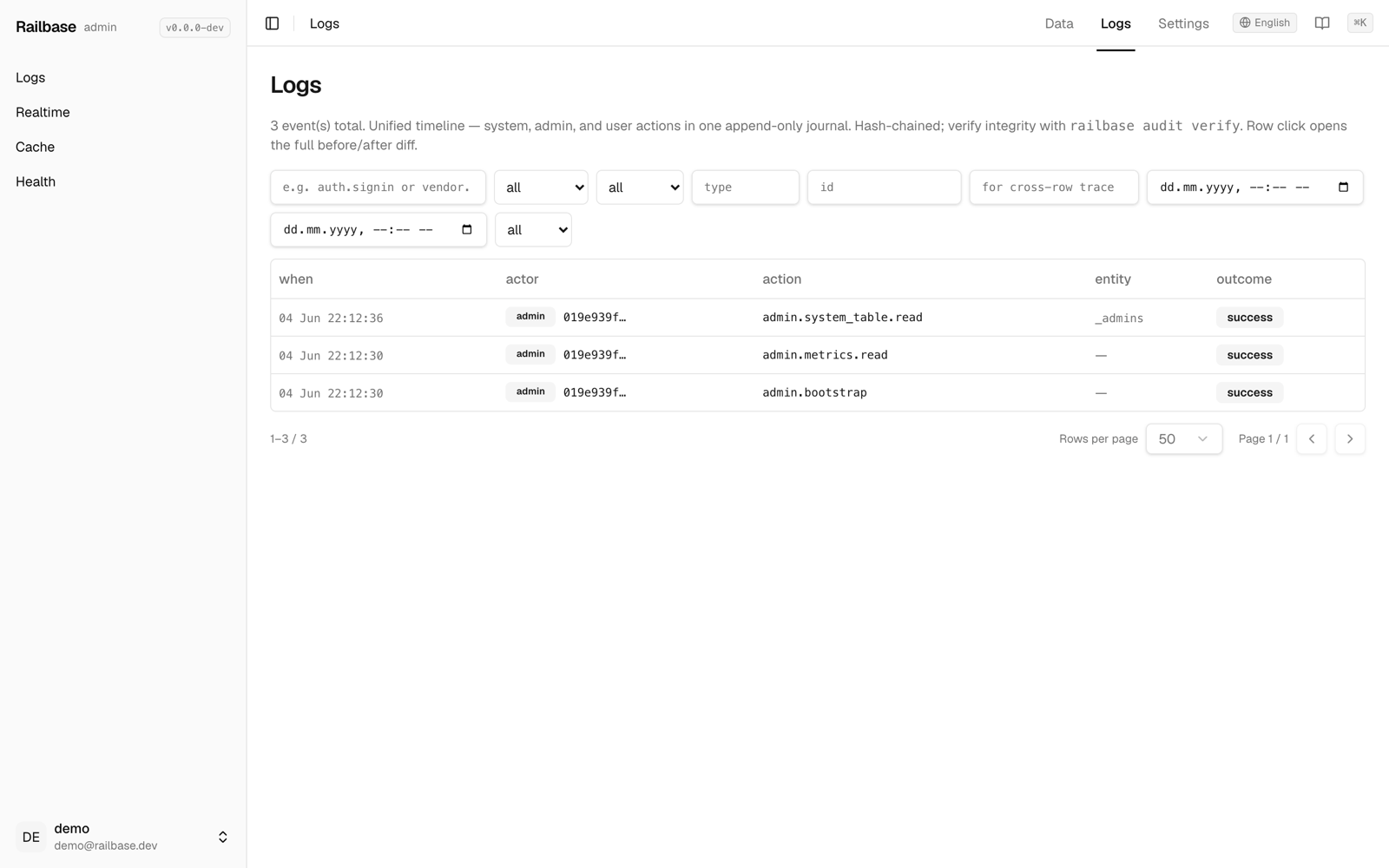
Logs is a unified, tamper-evident audit timeline: who did what, when, and whether it succeeded. Filter by action, actor type (system / admin / user / token / job), outcome (success / denied / error), entity, request id, and time range. Click a row to see the full context and a before/after JSON diff of the change.
Try it: Operating from the admin — logs, health, backups, mailer
- Logs is a tamper-evident audit timeline — who did what, when, and whether it succeeded. go to /_/logs/audit
- Filter by actor, outcome, entity, or time range; click a row for a full before-and-after diff. hover Logs
- Process logs give you the structured application stream with a live tail and level filter. go to /_/logs/app
- Health and metrics shows runtime, jobs, cache, and live request and latency charts. go to /_/logs/health
- Memory, goroutines, pool connections, and P95 latency, all updating live. hover MEMORY
- Under Settings, Backups lists your snapshots and creates one with a click. go to /_/settings/backups
- It also schedules backup jobs; restore is guarded behind a typed confirmation. hover + Create backup
- And the Mailer screen configures delivery, edits templates, and sends a test email. go to /_/settings/mailer
- Pick SMTP or console, then verify it before you rely on it. hover Configure mailer
Tip
The audit log is hash-chained. Verify its integrity end-to-end with
railbase audit verify.
Health & monitoring
- Health & metrics — runtime, job, cache, and backup status plus HTTP request-rate and latency charts (live).
- Realtime monitor — a read-only view of current subscriptions.
- Cache inspector — per-cache size and hit-rate, with a clear button.
- Process logs — the structured application log stream, with level filter and live tail.
Backups
Settings → Backups lists your snapshots and lets you create one with a click. It also manages scheduled backup jobs (cron). Restore is intentionally guarded:
Caution
Restore overwrites live data. In the UI it's gated behind a capability and a
typed-confirmation, with a dry-run preview first; if it's not enabled, restore
from the CLI with railbase backup --restore <file.vault>. See
Backups & restore.
Mailer
Settings → Mailer configures delivery (SMTP or console), edits templates, and shows the delivery log. Use Send test email to verify your SMTP settings before relying on them.
Other settings screens
- Files — browse stored files and blobs.
- Trash — restore soft-deleted records across collections.
- i18n — edit translations and seed new locales.
- Hooks — edit your JavaScript hooks in-browser.
- Security — a read-only audit of your boot/config hardening (what's set, what's risky, how to fix). Pair it with Security hardening.
- Marketplace — browse, buy, and manage plugins — see Installing plugins.
- Tenants, Webhooks, Stripe, Documents, Patches — each has its own screen when you use those features.