
Organisation & phonebook
Model units and stable positions, assign people over time, and publish one company directory on the employee site.
Updated
Organisation is part of Railbase core. Every company can maintain reporting units, stable positions, historical position holders, collegial bodies, and a shared phonebook without installing a plugin.
The model
| Entity | Meaning | Changes when a person leaves? |
|---|---|---|
| Company | Data, security, workflow, and subscription boundary | No |
| Unit | Company, division, department, team, or another reporting area | Only when the structure changes |
| Position | Stable responsibility such as Operations Manager | No; it can become vacant |
| Position assignment | A person holds a position from one date to another | Yes; history is retained |
| Role | Permission bundle enforced by RBAC | Revoke or replace separately |
| Collegial body | Committee or board used as an approval principal | Membership changes independently |
| Directory contact | Shared external or non-employee contact | Maintain as contact data |
This separation matters. DoA and task routing can address a stable position even when its holder changes; documents retain the position and decision context that existed at the time; access remains controlled by RBAC rather than by a job title.
Build the organisation
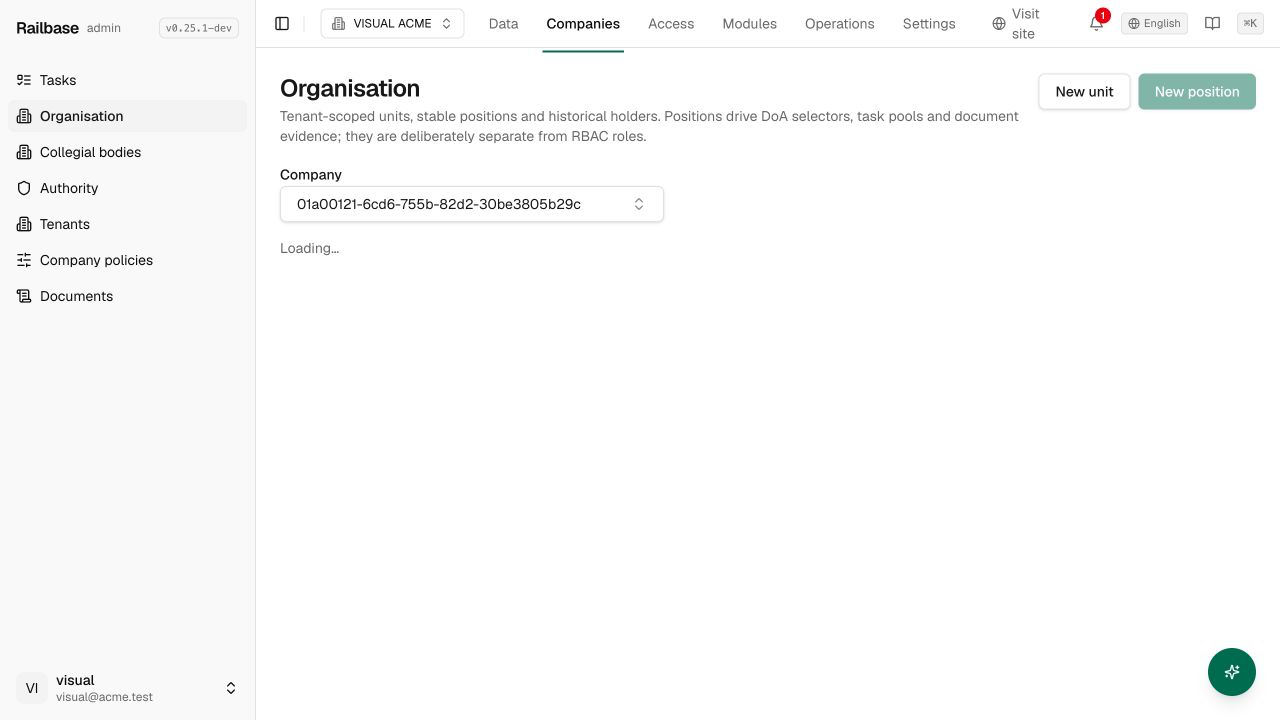
Open Companies → Organisation, select the company, and work from general to specific.
1. Create units
Create a root company unit if first-run setup did not create one, then add divisions, departments, or teams beneath it.
- Name is what people see.
- Stable code is the durable reference used by integrations and rules. Do not recycle a code for a different unit.
- Kind describes the unit: company, division, department, team, or other.
- Parent establishes the hierarchy.
After positions exist, choose the manager position for each unit. Select the position, not its current holder.
2. Create positions
Create positions inside a unit.
- Title is the display name.
- Stable code should remain valid across holder changes, for example
operations.manager. - Semantic kind helps organisation-level SoD identify combinations such as requester and approver.
- Reports to links the position to its manager position.
- Description records the enduring responsibility, not a person's résumé.
Archive a vacant position only when the responsibility has been retired. A position with an active holder cannot be archived.
3. Assign holders
Open Assignments or choose Assign holder from a position. Select an accepted company member, start date, and whether this is the person's primary position. A person may hold several positions when governance requires it.
Use End when the assignment finishes. Do not overwrite the holder: the dated assignment preserves reporting, task, DoA, document, and audit history.
4. Resolve SoD conflicts
The summary card and conflict panel show incompatible position combinations. Resolve them before relying on the position for authority routing. Position SoD complements RBAC SoD; one protects organisational responsibility and the other protects system actions.
Try it: Create a department and stable position
- Open Organisation and confirm the current company. go to /_/organization
- Create the department with a stable code and parent unit. click “New unit”
- Create a position in that department and set its reporting position. click “New position”
- Assign an accepted company member as the current holder. click “Assignments”
What employees see
Employees open Organisation on the site. The Structure tab shows their own positions, reporting units, current holders, and vacancies. A task or approval routed to one of their positions appears in Tasks.
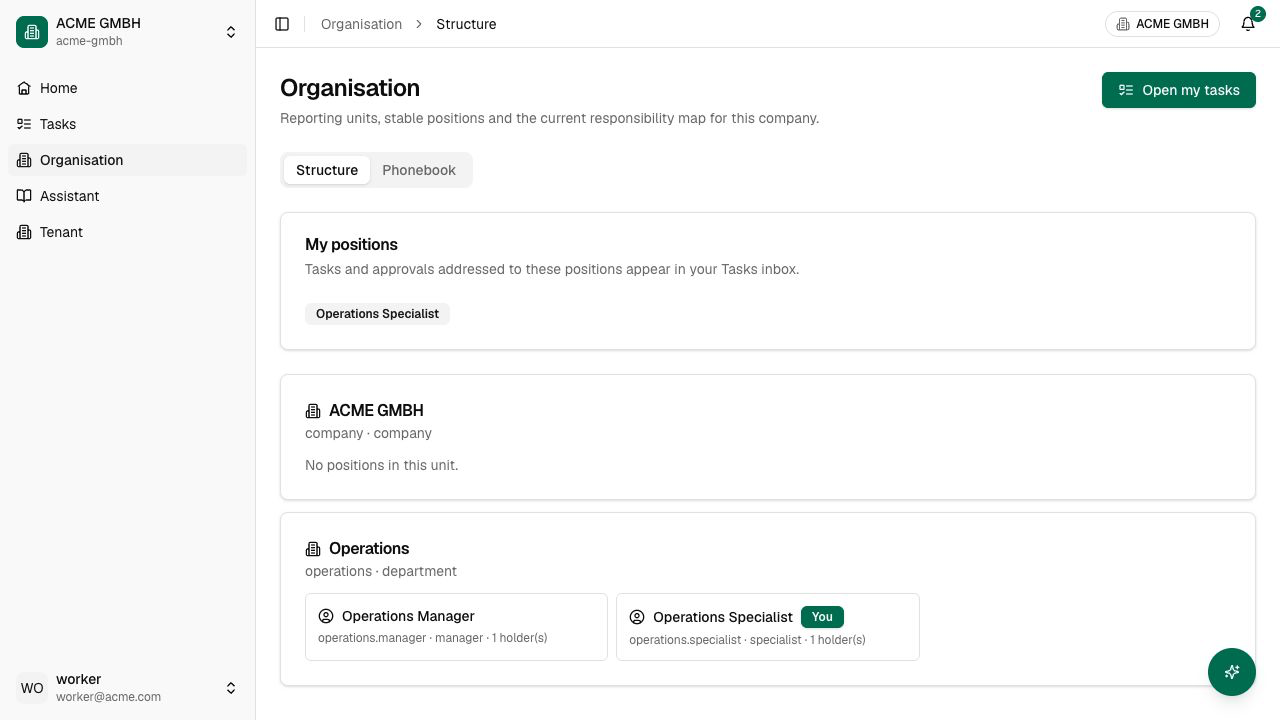
Employees see current responsibility, not the operator's historical maintenance controls. Ending an assignment removes it from the current view but keeps the record for audit and evidence.
Phonebook and address book
The former standalone address-book concept is now a core company directory. The Organisation → Phonebook tab combines current employees from the organisation structure with shared external contacts. Search covers name, position, unit, email, and phone.
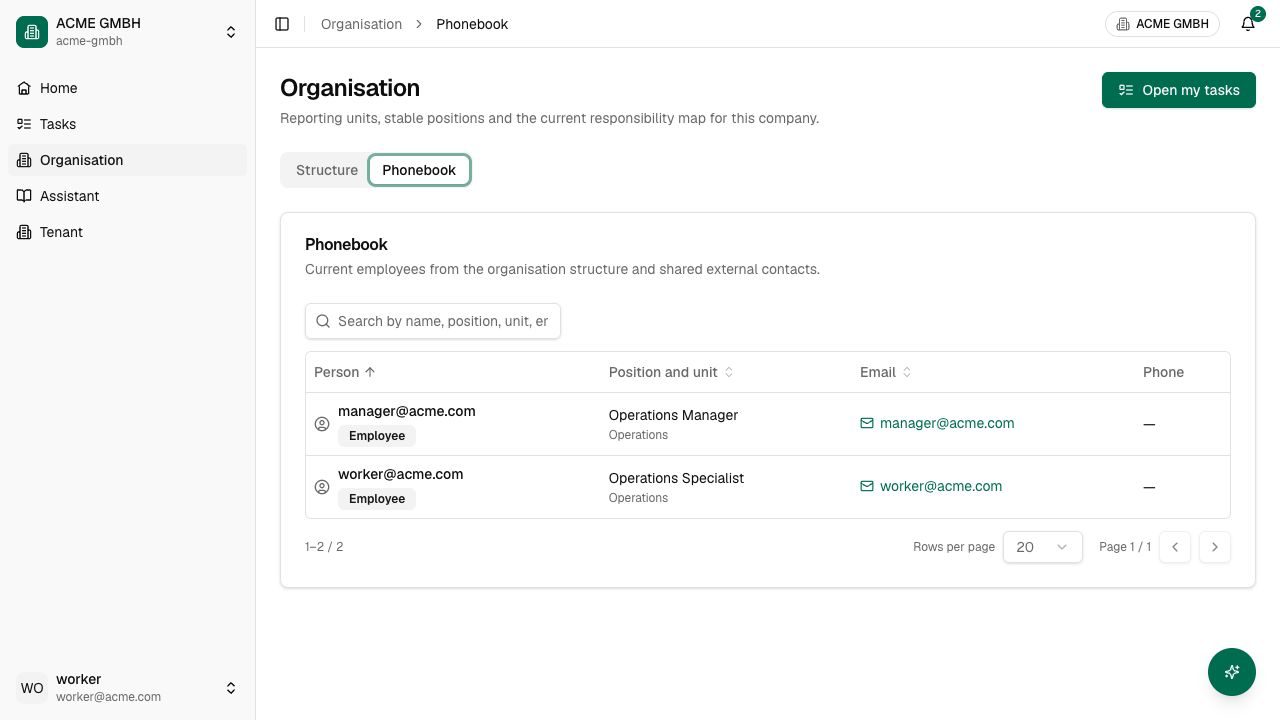
Manage external contacts from Tenant → Directory on the site when the account has that control. A contact may include display name, type, title, department, email, office phone, mobile phone, related account, and manager. Editing a directory contact does not create a user account, membership, position, or role.
The phonebook can contain:
- Employee entries derived from active position assignments;
- accepted company members that do not yet hold a position;
- shared directory contacts such as suppliers, advisers, or partner staff.
Do not place passwords, government identifiers, health data, payment details, or confidential case notes in contact fields. Use the phonebook for business contact information only.
Change scenarios
A person changes department
End the old position assignment, create the new assignment, then review company roles. Position change and permission change are separate deliberate actions.
A manager is temporarily replaced
End or date the current manager assignment and assign the acting holder. DoA that targets the position follows the current holder without rewriting every matrix.
A person leaves
End positions, revoke company roles and sessions, then remove or disable the membership according to your retention policy. Historical assignments and audited decisions remain.
A company is reorganised
Create the new units/positions first, move holders with dated assignments, update DoA and bodies, test task routing, and only then archive obsolete vacant positions.
Next: Users, roles & segregation of duties and Tasks, approvals & documents.